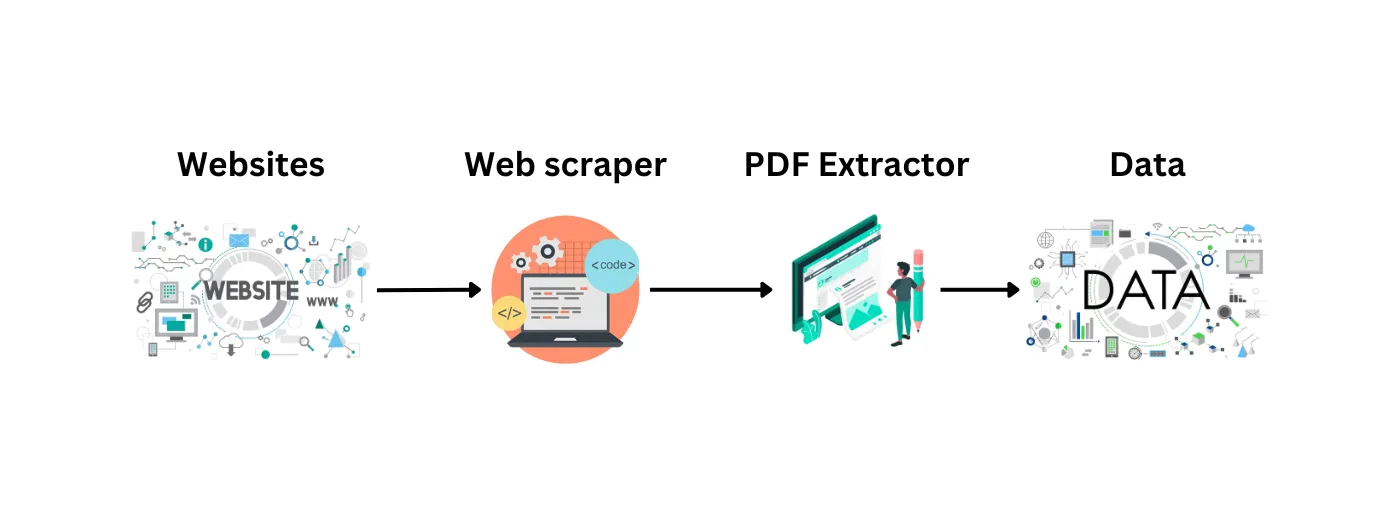
Basic Guide to Web Scraping with Python
Learn the fundamentals of web scraping with Python using Selenium and BeautifulSoup.

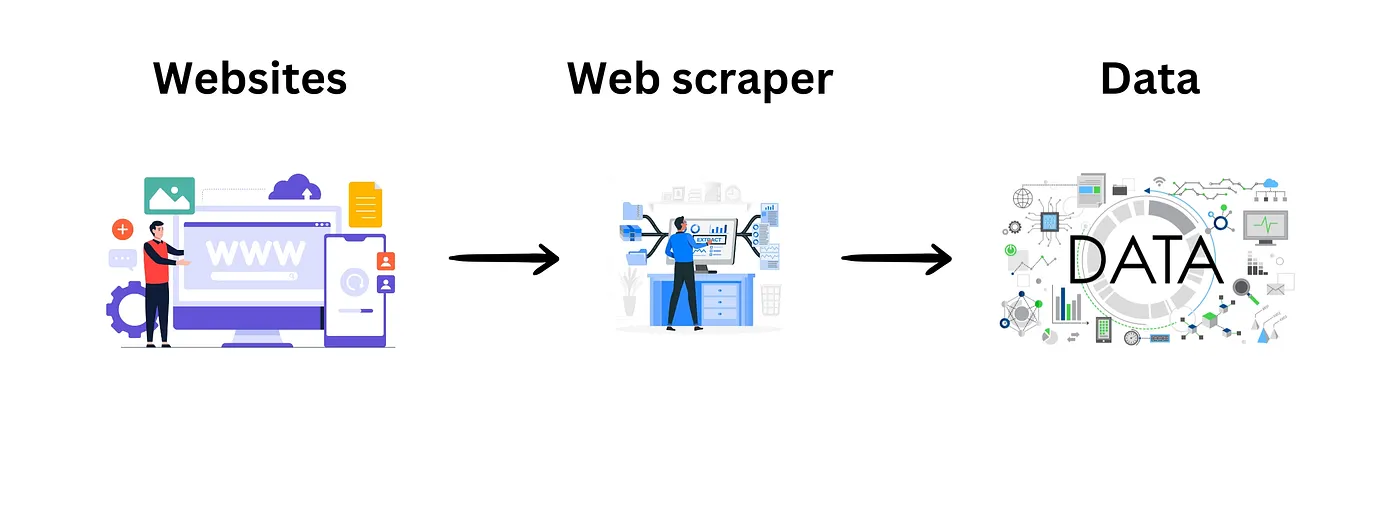
Table of content
- What is Web Scraping?
- Legal and Ethical Considerations
- Common Uses of Web Scraping
- Getting Started with Web Scraping in Python
1. What is Web Scraping?
Imagine you need information from a website. Sure, you could copy it manually, but what if you need a large amount of data? That's where web scraping comes in. Web scraping is like sending in an automated robot to fetch all the data you need from a website quickly and efficiently. It's the key to extracting large amounts of data in a smaller amount of time.
2. Legal and Ethical Considerations
Web scraping, though not explicitly illegal, operates in a legal gray area. There are no blanket laws against it, and many businesses use it responsibly to extract valuable data insights. However, it's crucial to handle scraped data ethically and avoid harming the scraped website's operations or violating its Terms of Service (ToS).
Best Practices for Web Scraping
Before diving into web scraping, consider these practical tips to ensure legal compliance and ethical usage:
- Respect Terms of Service (ToS): Always review and adhere to a website's ToS regarding data usage and scraping permissions.
- Utilize APIs When Available: Whenever possible, use APIs provided by websites for data extraction rather than scraping.
- Check Robots.txt: Respect the rules outlined in a website's robots.txt file. If necessary, seek permission from the website owner before scraping data that isn't explicitly allowed.
Check the robots.txt Ex: www.example.com/robots.txt
- Verify Copyright Status: Ensure that scraped data isn't copyrighted before using or publishing it. If you plan to publish scraped data, obtain written permission from the copyright holder.
Following these guidelines allows you to navigate web scraping responsibly and legally while leveraging data for informed decision-making.
3. Common Uses of Web Scraping
Lead Generation for Marketing
One of the primary uses of web scraping is generating relevant leads for businesses. For example, companies often scrape business contact details from Google Business listings to build their customer base.
2. Data Analysis
Web scraping is essential for collecting and analyzing data from various sources on the internet. It enables businesses to gather valuable insights crucial for informed decision-making.
3. Academic Research
In academic and scientific research, data plays a vital role. Web scraping facilitates the collection of structured data from multiple online sources, aiding researchers in their studies.
4. Training and Testing Data for Machine Learning Projects
For machine learning projects, high-quality training data is very important. Web scraping allows researchers and developers to gather diverse datasets from the web, enhancing the performance and accuracy of machine learning models.
4. Getting Started with Web Scraping in Python
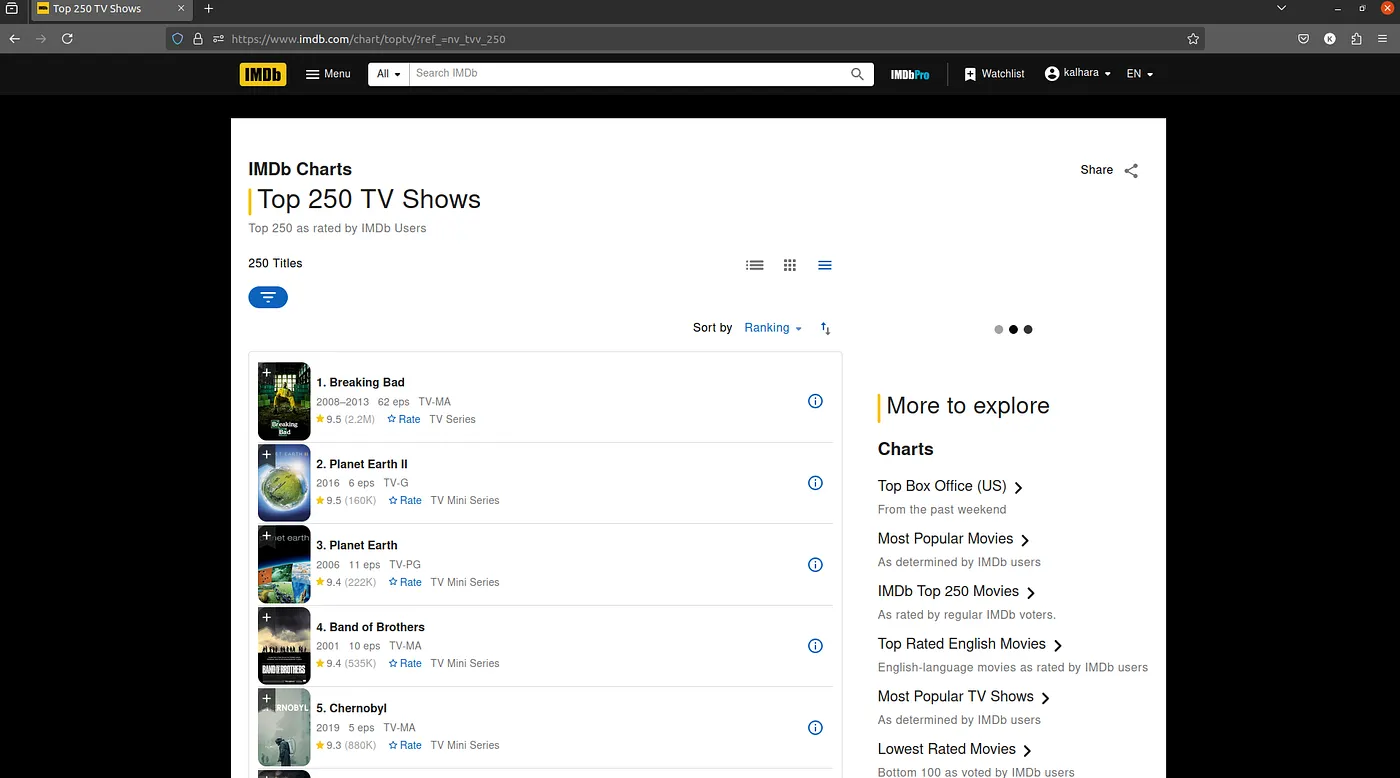
We'll explore how to scrape data from the website using Python, specifically with the help of Selenium and Beautiful Soup libraries. We'll walk you through scraping the top 250 TV series from the IMDb website. We'll extract the title, show type, rating, and review count for each series. Please note that this tutorial uses IMDb data strictly for educational purposes and aims to demonstrate web scraping techniques responsibly and ethically.
Let's start by importing the required libraries.
import re
import time
import pandas as pd

from bs4 import BeautifulSoup
from selenium import webdriver
from selenium.webdriver.common.by import By
from selenium.webdriver.chrome.service import Service
from selenium.webdriver.support.ui import WebDriverWait- re: Provides support for regular expressions in Python.
- time: Enables time-related functions such as pausing the execution of code.
- selenium: Selenium is a web testing library used to automate browser activities.
- BeautifulSoup: Beautiful Soup is a Python package designed for parsing HTML and XML documents. It creates parse trees, which simplify data extraction.
- pandas: Pandas is a powerful library for data manipulation and analysis. It allows you to extract data and store it in the desired format for further analysis.
Let's Set Up WebDriver
We need to set up the web driver using Selenium to scrape the data from IMDb. This process involves downloading the ChromeDriver executable and specifying its path before initializing the Chrome browser (Ensure you have the ChromeDriver executable compatible with your Chrome browser version). We'll also set up a wait object to handle dynamic content loading.
service = Service('/Your_path/chromedriver_linux64/chromedriver')
driver = webdriver.Chrome(service=Service())
wait = WebDriverWait(driver, 10)
Now that we have our web driver set up, let's define the URL for the IMDb Top 250 TV series and a pattern for extracting rating of the rating_text.
rating_pattern = r'\((.*?)\)'
search_url = 'https://www.imdb.com/chart/toptv/?ref_=nv_tvv_250'
Now, let's see how to identify the class names of HTML elements.
ul_class_name = 'ipc-metadata-list ipc-metadata-list--dividers-between sc-a1e81754-0 eBRbsI compact-list-view ipc-metadata-list--base'
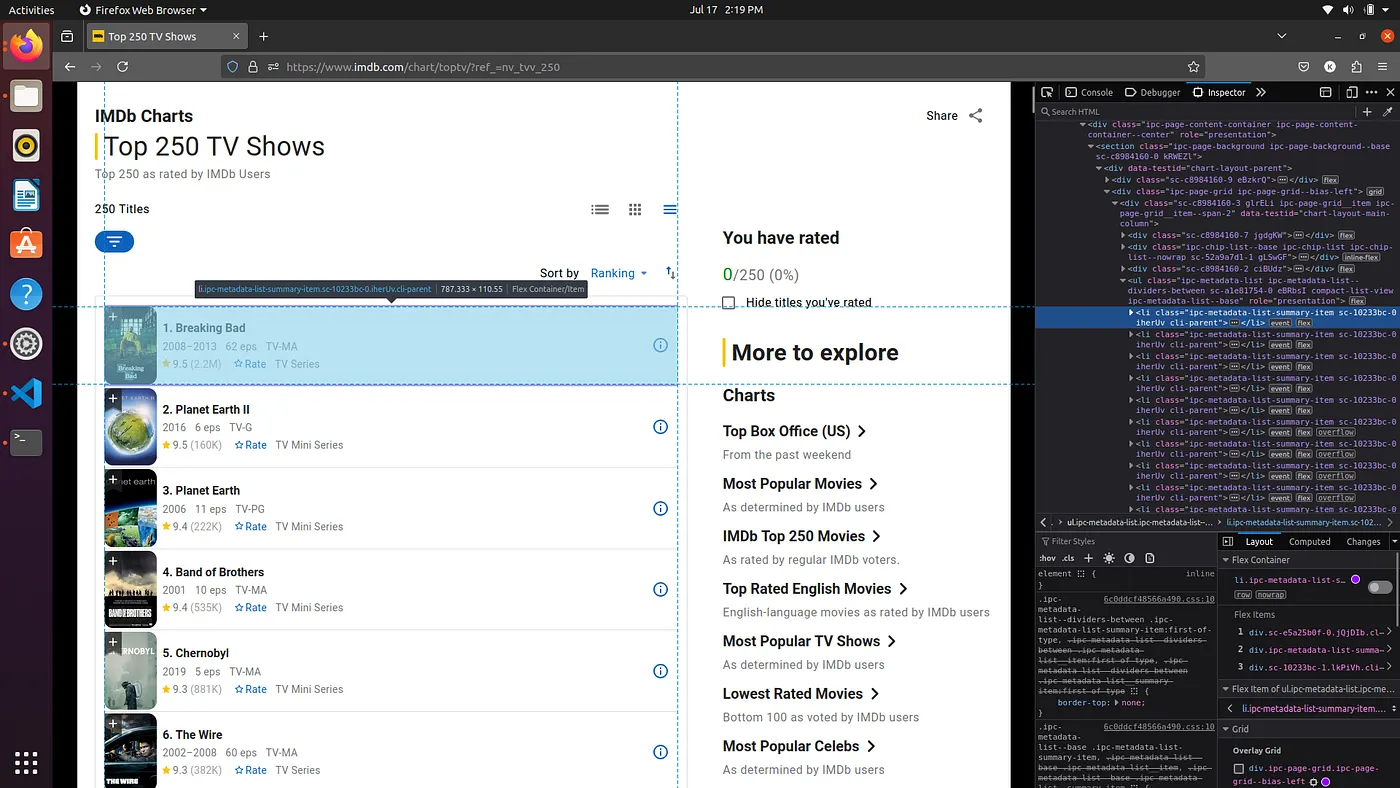
li_class_name = 'ipc-metadata-list-summary-item sc-10233bc-0 iherUv cli-parent'
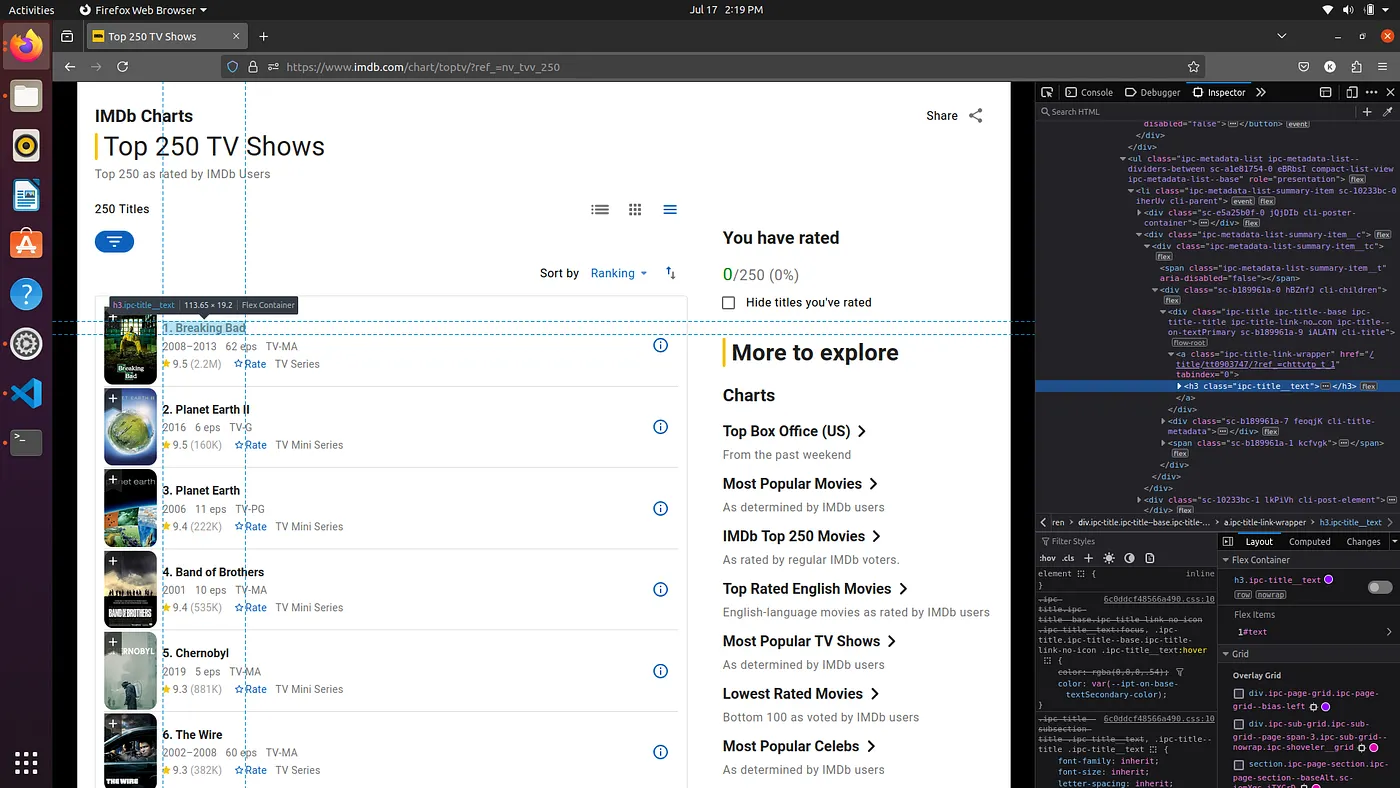
title_class_name = 'ipc-title__text'
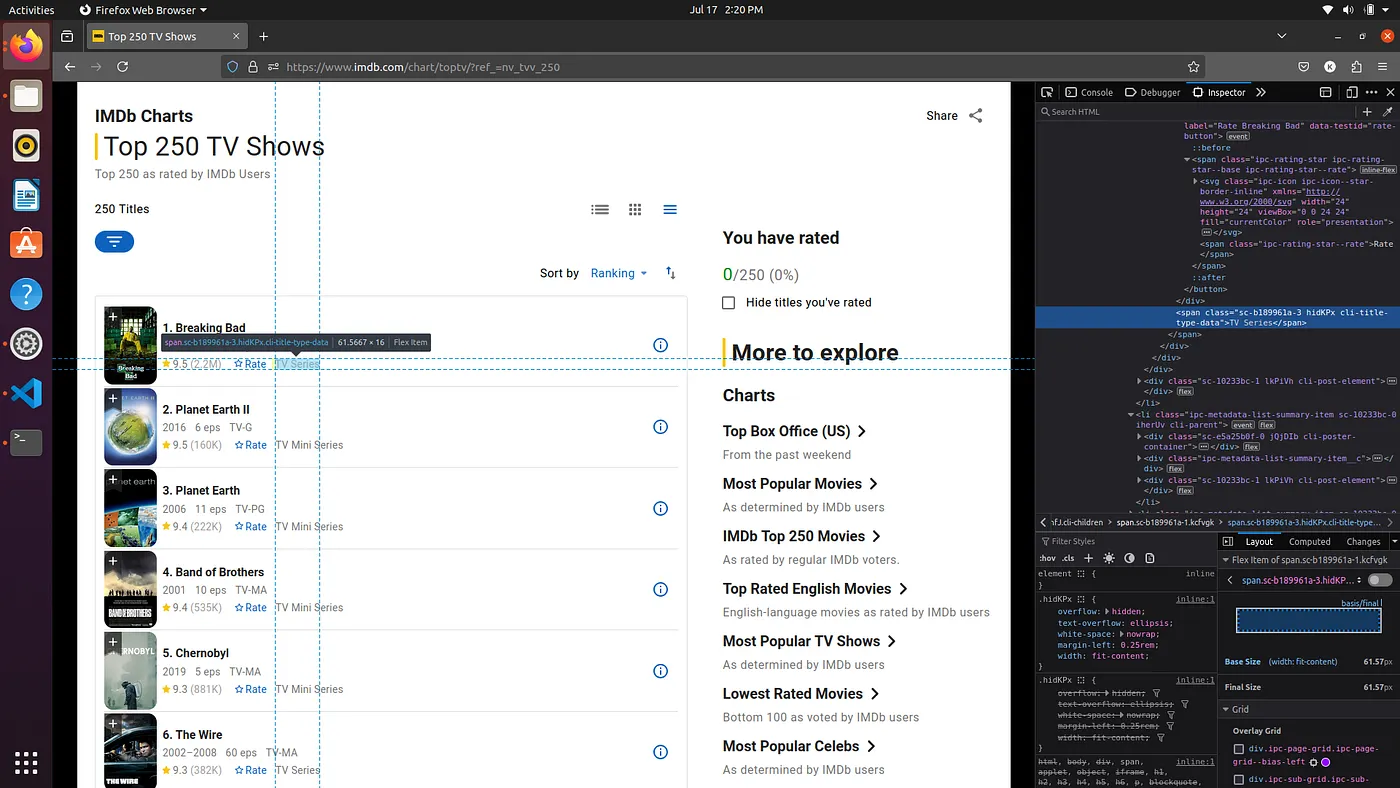
type_class_name = 'sc-b189961a-3 hidKPx cli-title-type-data'
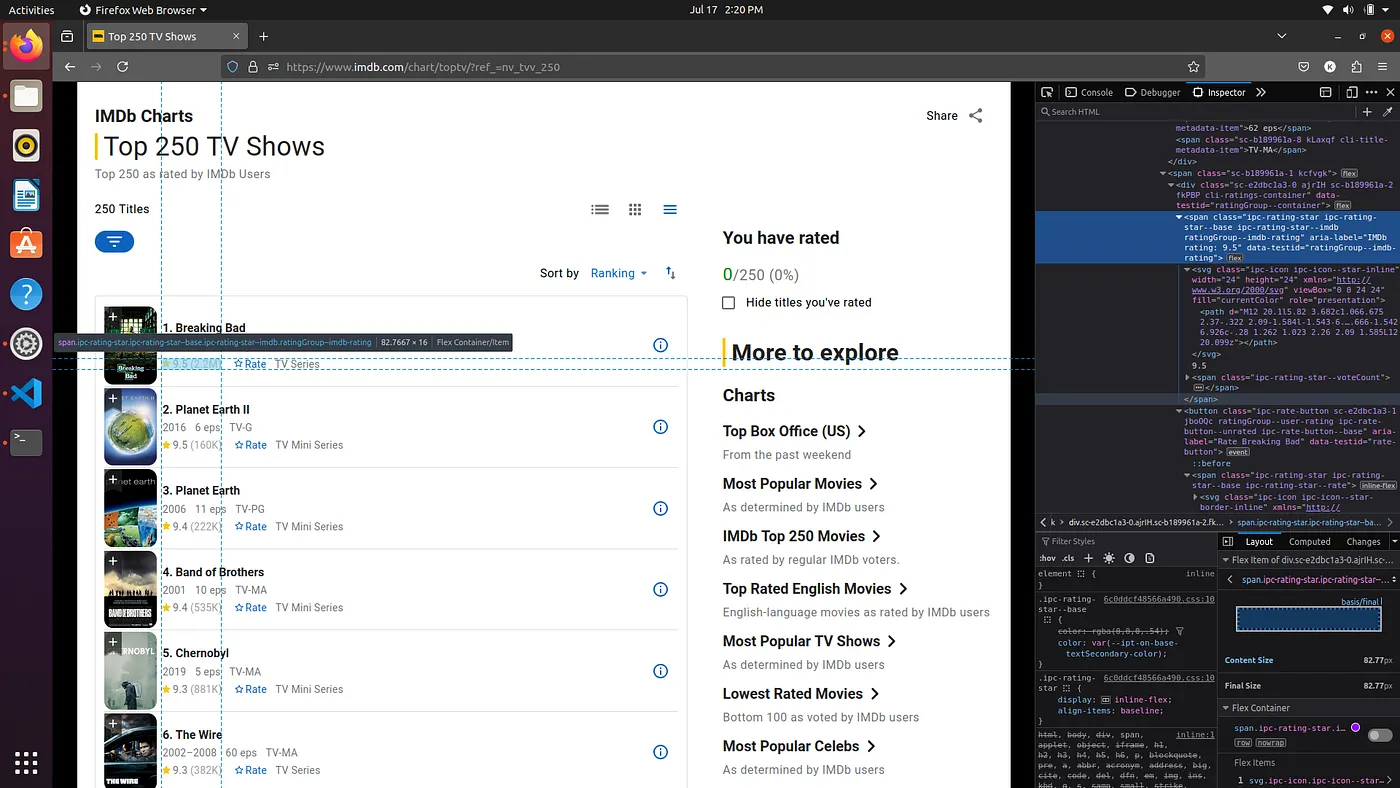
review_class_name = 'ipc-rating-star--voteCount'
rating_class_name = 'ipc-rating-star ipc-rating-star--base ipc-rating-star--imdb ratingGroup--imdb-rating'
First, load the website and wait for it to fully load. Once the page is completely loaded, right-click on the website and select "Inspect" to open the developer tools. From there, you can identify and select the relevant element, then note the name of its class for use in your scraping script.
- Class name of ul element
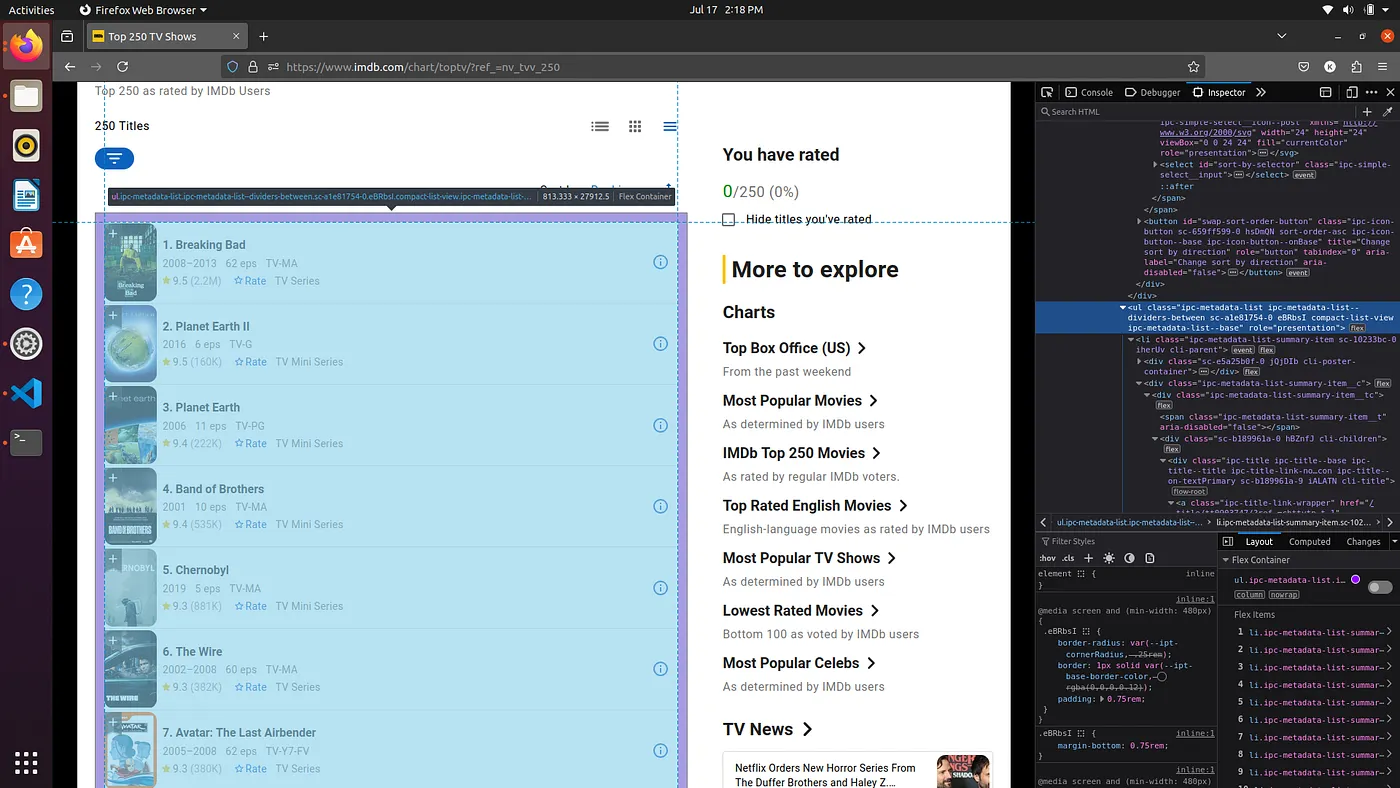
- Class name of li element
- Class name of title element
- Class name of type element
- Class names of Rating and review
Let's navigate to the IMDb Top 250 TV series page.
We'll use the get method to load the page and a sleep function to ensure the page fully loads before we start extracting data.
driver.get(search_url)
time.sleep(30)
Let's dive into extracting data from the list of the TV series.
tv_shows = []

while True:
   # Get the HTML content of the page
   content = driver.page_source
   soup = BeautifulSoup(content, 'html.parser')

   # Find the main element containing the list of TV shows
   shows_element = soup.find('ul', attrs={'class': ul_class_name})
   li_elements = shows_element.findAll('li', attrs={'class': li_class_name})

   print(f"Number of shows found: {len(li_elements)}")

   # Loop through each list item to extract data
   for li in li_elements:

       # Extract the title of the show
       title_element = li.find('h3', attrs={'class': title_class_name})
       title = title_element.get_text() if title_element else 'N/A'

       # Extract the type of the show (e.g., TV series, miniseries)
       type_element = li.find('span', attrs={'class': type_class_name })
       show_type = type_element.get_text() if type_element else 'N/A'

       # Extract the review count and use regex to clean it
       review_count_element = li.find('span', attrs={'class': review_class_name})
       review = review_count_element.get_text()
       match = re.search(pattern, review)
       review_count = match.group(1) if match else 'N/A'

       # Extract the rating of the show
       rating_element = li.find('span', attrs={'class': rating_class_name})
       rating = rating_element['aria-label'] if type_element else 'N/A'

       # Store the extracted data in a dictionary
       show_data = {
           'title': title,
           'show_type': show_type,
           'rating': rating,
           'review_count': review_count,
       }

       # Print and append the show data
       print(show_data)
       tv_shows.append(show_data)

   driver.close()
   break

print("Scraping completed.")
Start by creating an empty list, tv_shows, to store the extracted data.
In the while loop, fetch the HTML content of the page using driver.page_source and parse it with BeautifulSoup.
Locate the main element holding the list of TV shows using the ul_class_name. Then, find all list items (li_elements) within this element.
Extract he title, show type, rating, and review count through the for Loop.
- Title: Use the class name (title_class_name) to extract the show's title.
- Show Type: Use the class name (type_class_name) to extract the show's type.
- Review Count: Extract the review count using the class name (review_class_name) and clean it with a regex pattern.
- Rating: Retrieve the rating using the class name (rating_class_name).
Create a dictionary (show_data) for each show, and append it to the tv_shows list.
After the for loop, break the while loop and close the driver.
Finally, print a message indicating the completion of the scraping process.
Saving the Extracted Data to a CSV File.
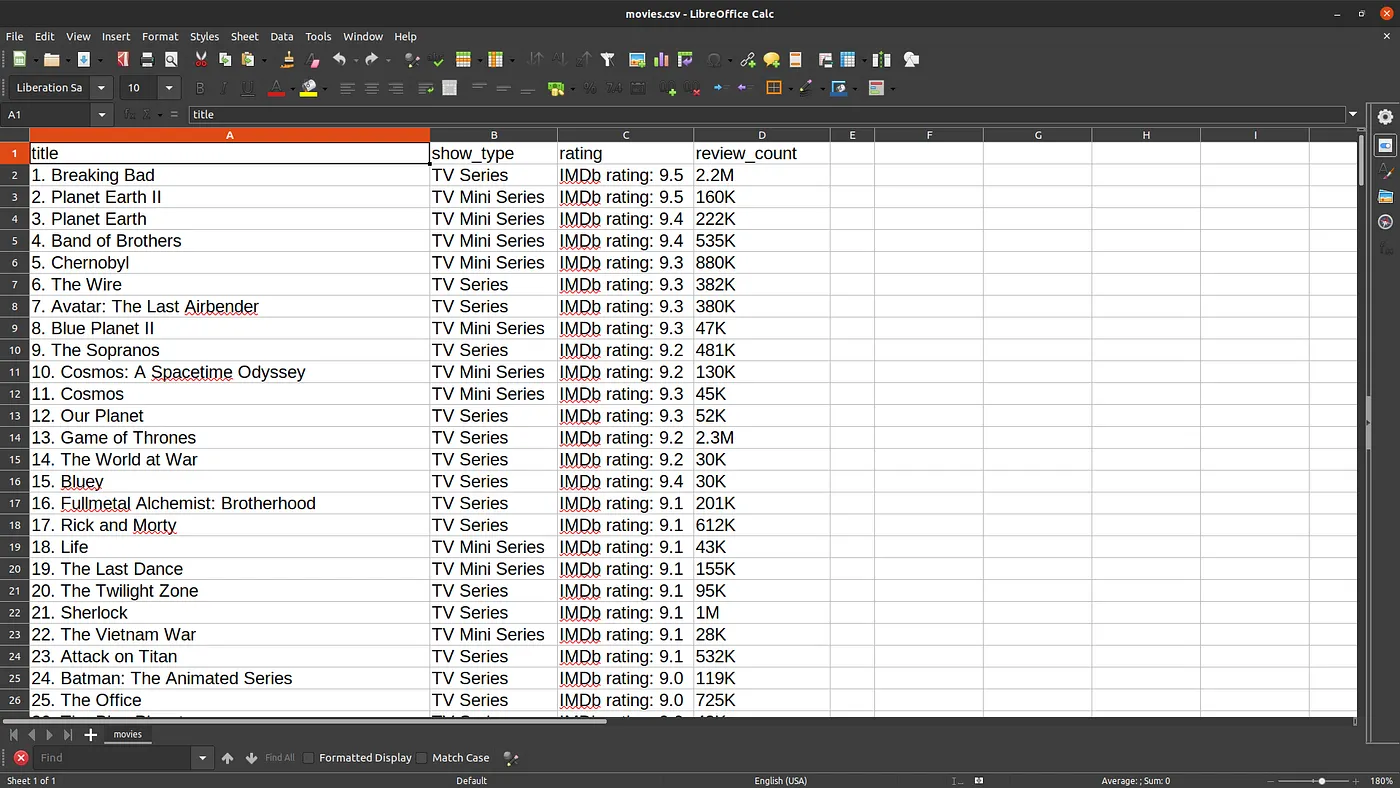
After successfully scraping the data, the next step is to save it in a structured format for further analysis. We'll use Pandas to convert our list of dictionaries (tv_shows) into a DataFrame and then save it as a CSV file.
pd.DataFrame(tv_shows).to_csv('movies.csv', index=False)Final output
You can find the complete code on GitHub . I hope you've gained a wealth of information from this article. Feel free to try it out and explore the world of web scraping!
Thanks for reading. 😃
Part of the Scraping tutorial series
View all partsRelated Posts
- 5 min read
Building Your First Collaborative AI Crew
Learn the basics of AI agents, what they are, and how they're changing the way we interact with technology.
AIAI AgentsAutomation - 5 min read
Introduction to CrewAI — What It Is and Why It Matters
Learn the basics of AI agents, what they are, and how they're changing the way we interact with technology.
AIAI AgentsAutomation - 4 min read
Advanced Web Scraping: Extracting Data from PDFs Without Downloading
Master advanced web scraping by extracting data directly from online PDFs - no downloads, no hassle, just instant insights!
web scraping with pythonadvanced web scraping guideAutomation